
Access Control for Data Centers: Securing Server Racks and Rooms
Machine rooms
Seenaptec brings access control for the machine room, engineering areas, and server cabinets together in a single object model. Instead of numerous distributed cabinet controllers — software logic with active redundancy, OSDP Secure Channel protected devices, automated connection via Seenaptec SecureBus (SSB), and extensive diagnostics. Permissions, contractor access, equipment status, cabinet work sessions, and integrations are managed centrally.
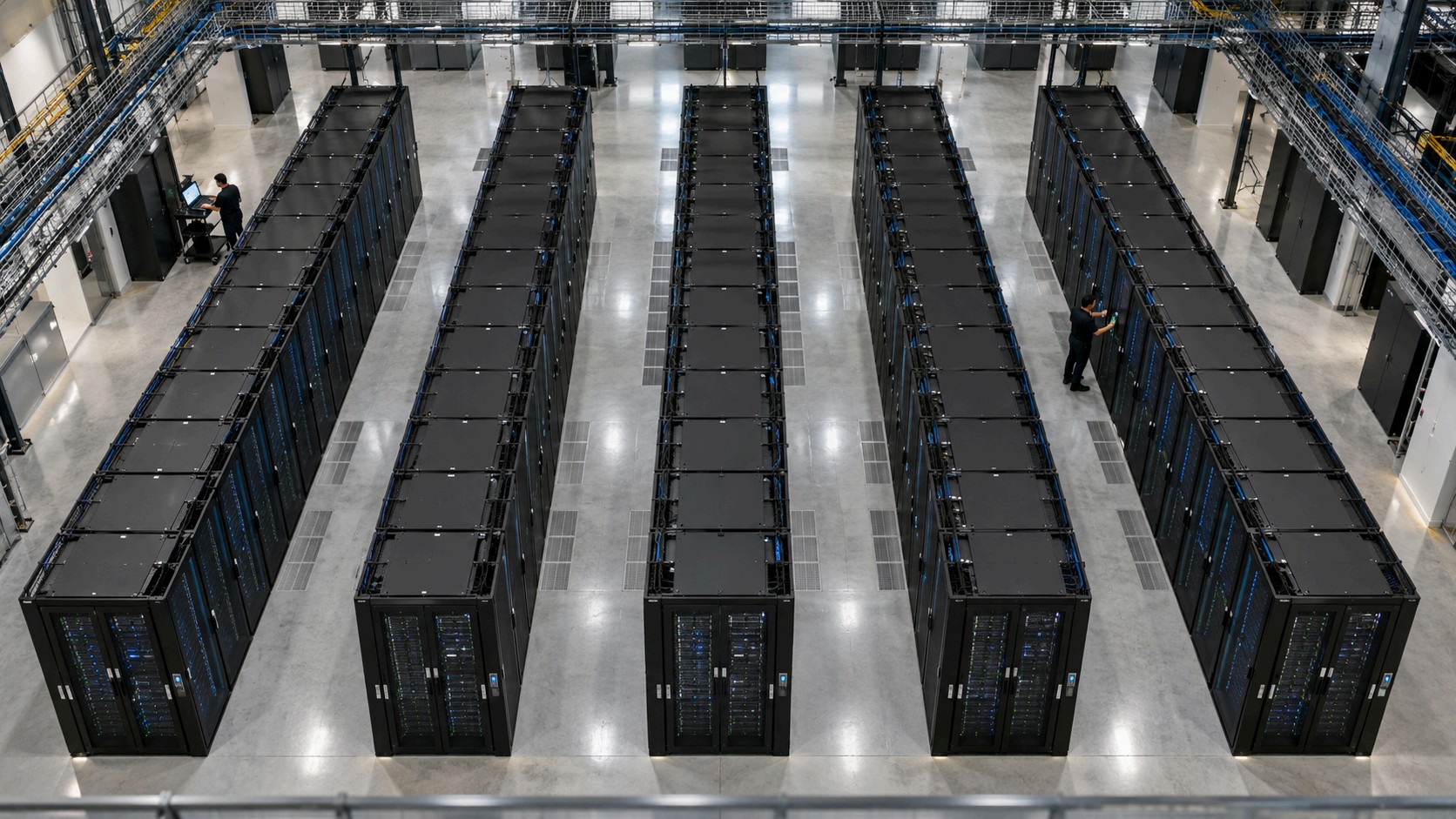
Let's walk through a reference example: 50 server cabinets, 5 rows, and up to 100 controlled doors. We show the connection diagram, redundancy, issuance of secure cards, migration options from another access control system, and a comparison with traditional controller-based architectures.
Key figures of the model: 50 cabinets · up to 100 controlled doors · 1 logical access object per cabinet · up to 3 local emergency identifiers per supported object. The number of gateways and physical lines is determined after a site survey.
Where a Standard Access Control System Is No Longer Enough for a Server Room
Controlling access to a machine room door is not the same as controlling work at a specific piece of equipment. A person may legitimately enter a data center but not be authorized to open a cabinet containing someone else's servers. Operations staff and contractors need rights to specific objects during defined time windows, and investigations require the sequence "permission → credential presentation → command → actual opening → closing."
The key differentiator of Seenaptec is the management of spaces and objects rather than simply a set of doors. A server cabinet is an independent entity: it has one or two doors, its own access rules, associated peripherals, a work session, a state, and an event history. This makes it possible to tie an engineer's access to a specific cabinet and track the start and completion of maintenance, door openings and closings, alarms, and unfinished sessions. In the typical door-based model of other access control systems, such a scenario may require additional entities or integrations.
Who uses the system
Security department: access to zones, alarms, event history, and investigations.
Data center operations: door states, unclosed cabinets, line diagnostics, and equipment.
IT and contractors: temporary access to a specific cabinet without the right to open neighboring ones.
Integrator: standard deployment, configuration templates, updates, and device support.
Case study: access control in a data center with 50 server racks
Parameter | Value in the example |
Racks | 50 |
Rows | 5 × 10 |
Server cabinet doors | 50 front + 50 rear |
Budget option | 50 front electronic handles; rear door under mechanical control |
Full configuration | 100 electronic handles |
Additional points | 2 machine room doors + 1 engineering zone door |
Users | Roughly 30 employees and up to 20 temporary contractors |
Operation | 24/7, backup power supply as specified in the design |
Basis for comparison | the same number of cabinets, doors, scenarios, and fault-tolerance requirements |
The sample calculation is provided to illustrate the selection methodology and is not an announcement of a completed deployment at a specific site. Before design work begins, the rack models, handle mounting points, sensors, power supply conditions, and the customer's engineering regulations are verified. link to the calculator anchor
One rack — an object with one or two doors
Seenaptec supports the "server cabinet" object in single- and dual-door (and more!) configurations. Cabinet access rights, session logic, and events all belong to a single object; the number of physical handles depends on the requirements for controlling the front and rear sides. This matters for design, auditing, and licensing: do not confuse the number of handles with the number of logical cabinet objects.
How to connect an access control system to server racks
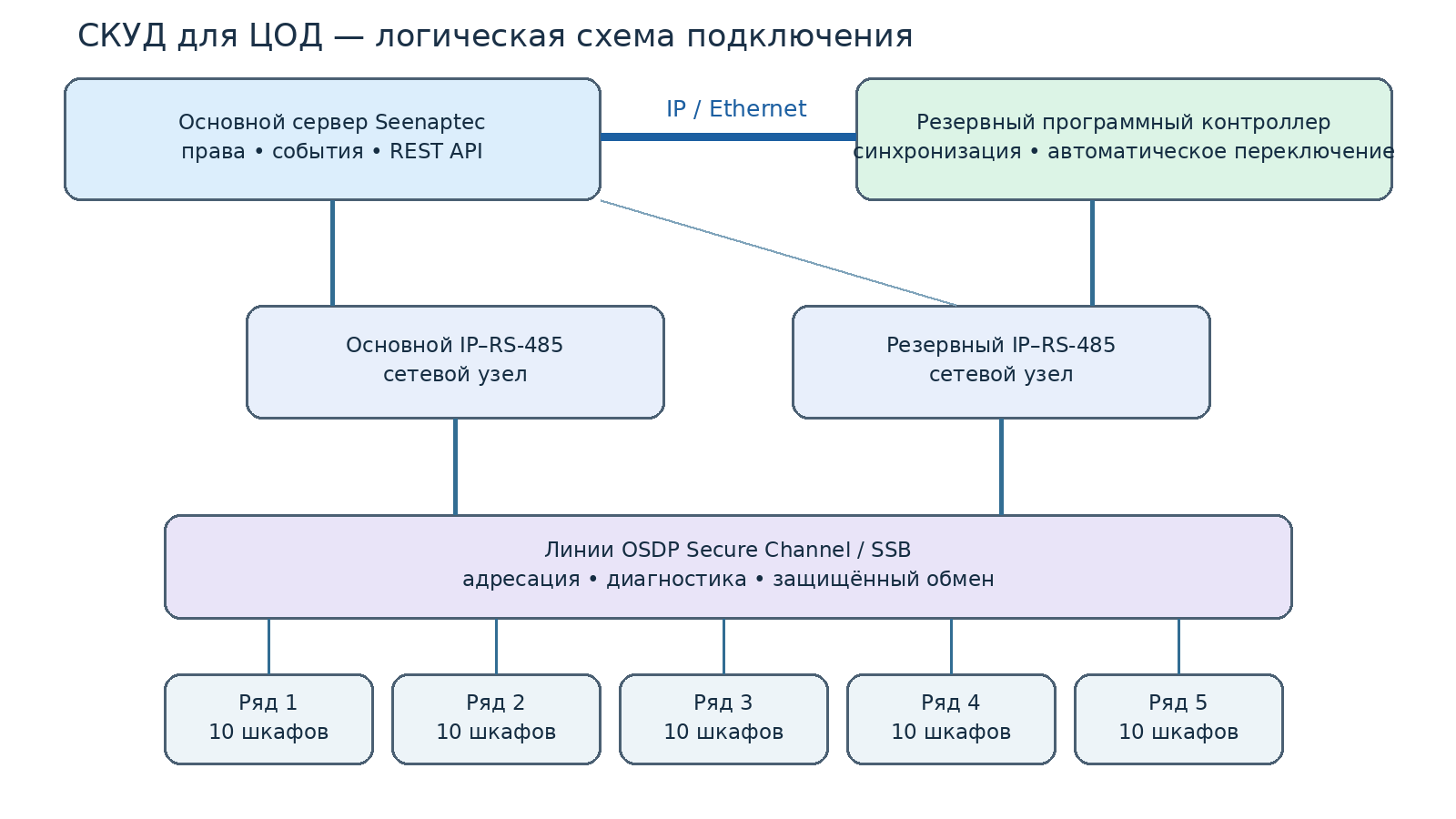
Logical architecture of the Seenaptec access control system for a data center: IP link between the primary server and the backup software controller; secured OSDP/SSB lines via IP–RS-485 network converters; cabinets as independent access objects.
Fig. 1. Functional connection diagram: the primary server and the backup software controller are linked over IP for availability monitoring and synchronization. Network ports and OSDP lines are shown logically; the number of segments and power supply details are finalized in the detailed design. Five rows do not mean a single physical line for 100 handles.
Primary server and backup software controller
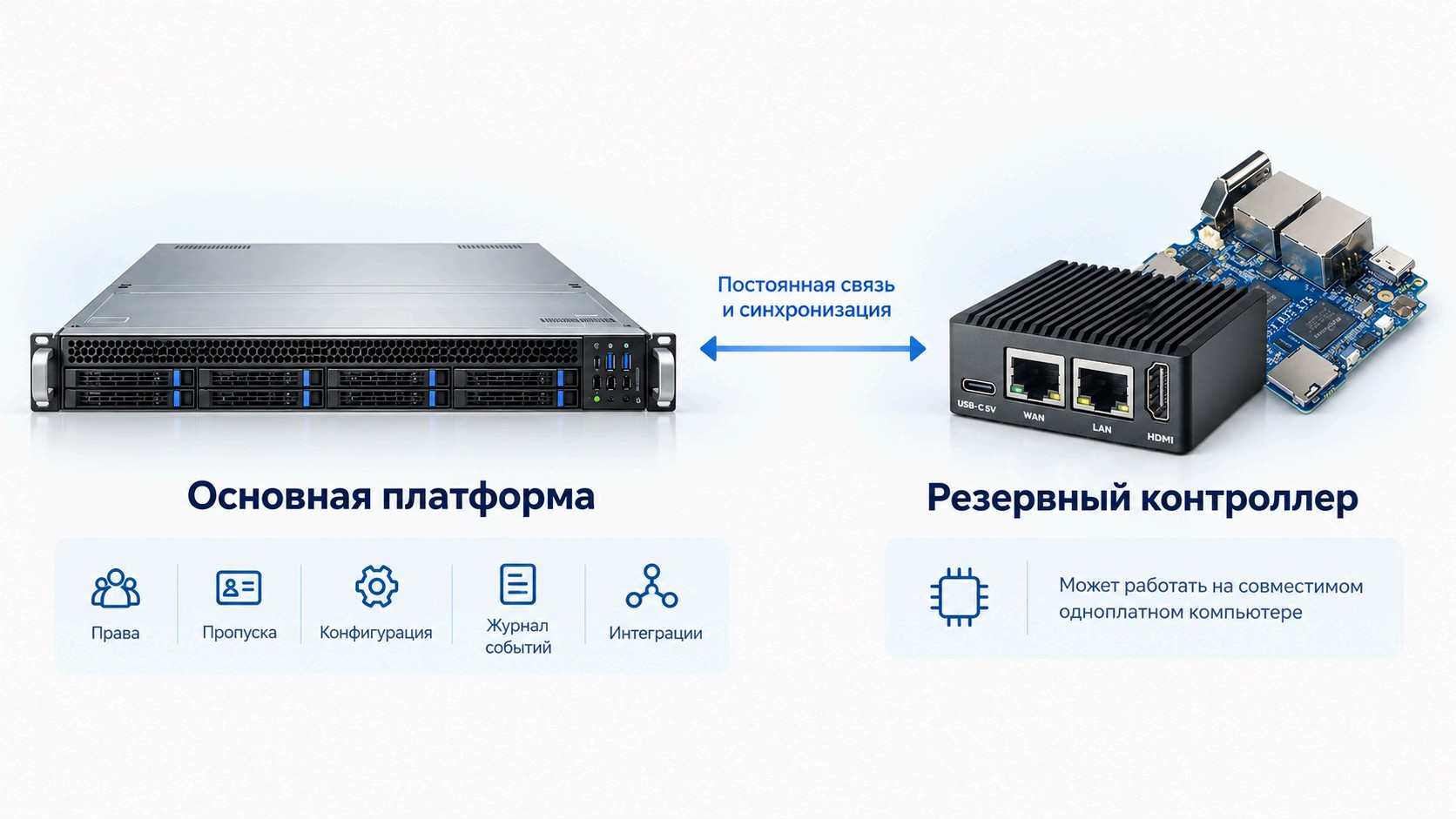
The primary platform manages rights, credentials, configuration, the event log, and integrations. The backup controller can run on a compatible single-board computer; it is constantly connected, periodically refreshes rights and settings, monitors the availability of the primary platform, and automatically takes over processing if it fails. Simultaneous active control is prevented by the built-in failover mechanism. Once the primary platform is restored, synchronization occurs and control is handed back.
In this architecture, the backup node operates as a software proxy for the peripheral lines, keeping the components available on the line operational. The customer does not need to separately design the failure-detection logic, dual-control lockout, or failback — these mechanisms are implemented in the Seenaptec solution. During acceptance of a specific site, actual failover, network operation, and power are verified.
Secured peripherals: OSDP Secure Channel and Seenaptec SecureBus
AGRG SH-O and other compatible devices operate over the addressable OSDP interface on RS-485. OSDP Secure Channel provides encrypted and authenticated communication, unlike the traditional one-way identifier transmission over Wiegand. Thanks to the bidirectional protocol, Seenaptec receives events and peripheral status, monitors device availability, and helps diagnose faults in a specific node. For compatible equipment, Seenaptec SecureBus (SSB) mode additionally performs serial-number discovery, free-address assignment, line-parameter negotiation, and centralized configuration. This reduces manual operations during commissioning and data center expansion. The availability of individual functions depends on the device model and firmware.
A ring line topology with primary and backup connections is used where provided for by the Seenaptec design scheme. A break in a single segment and a port failure are tested separately from a server failure.
What SSB provides when commissioning 50 cabinets
Once compatible devices are connected, Seenaptec discovers the equipment, assigns addresses, and negotiates line parameters without manually addressing each node. The operator sees the connected devices and their diagnostic results, can centrally configure the equipment, and track faults at the level of a specific handle or reader. For long cabinet rows, this is especially important when replacing or expanding equipment. Encryption is provided by OSDP Secure Channel; SSB adds service automation for compatible peripherals.
Electronic handles and locks for server racks
For the new secured infrastructure, AGRG SH-O and SH-CO are used (the keypad variant for card + PIN scenarios). Existing AGRG SH-I handles with a Wiegand interface do not have to be replaced when migrating to Seenaptec: compatible Wiegand peripherals can be connected via the AGRG ACM2 gateway, which converts them to OSDP. This makes it possible to migrate in stages from another access control system, reuse the installed hardware, and avoid buying traditional hardware controllers for new sites.
Component | Purpose |
|
AGRG SH-O | Electronic handle with reader and OSDP Secure Channel | 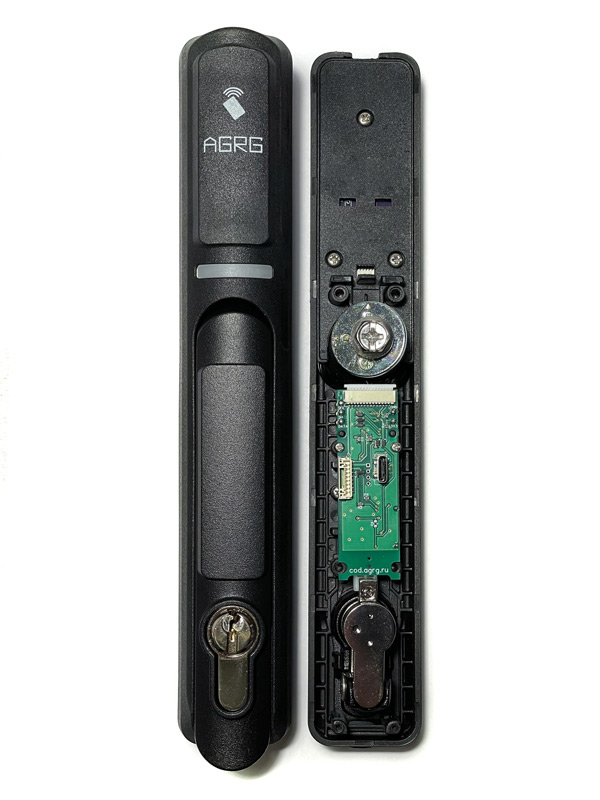 |
AGRG SH-CO | Keypad variant, card + PIN, OSDP |
|
AGRG SH-I | Handle for Wiegand/TM architecture | 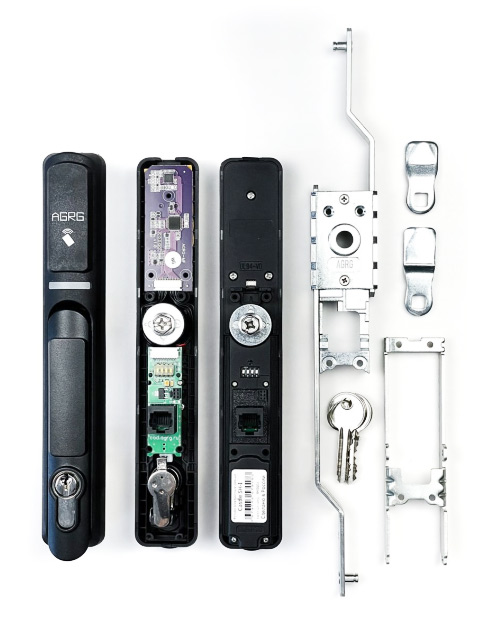 |
Bolts and actuators | Mechanical locking, adaptation to the door construction | 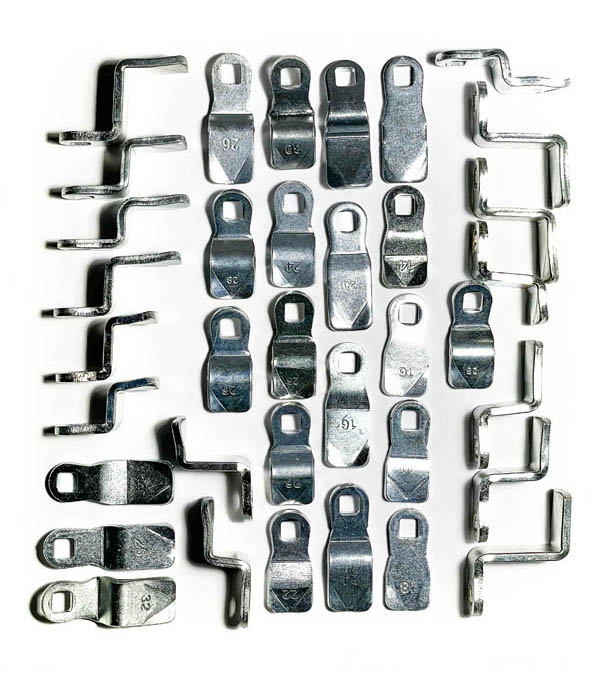 |
AGRG ACM2 | Gateway bridging existing Wiegand readers/handles into OSDP for phased migration | 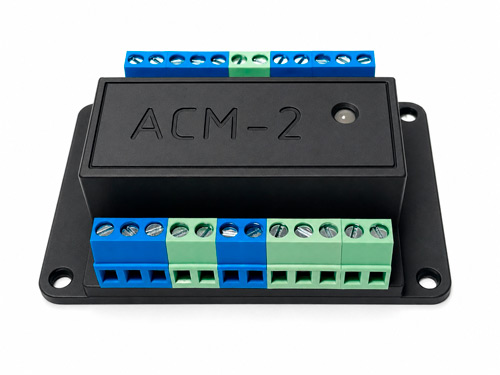 |
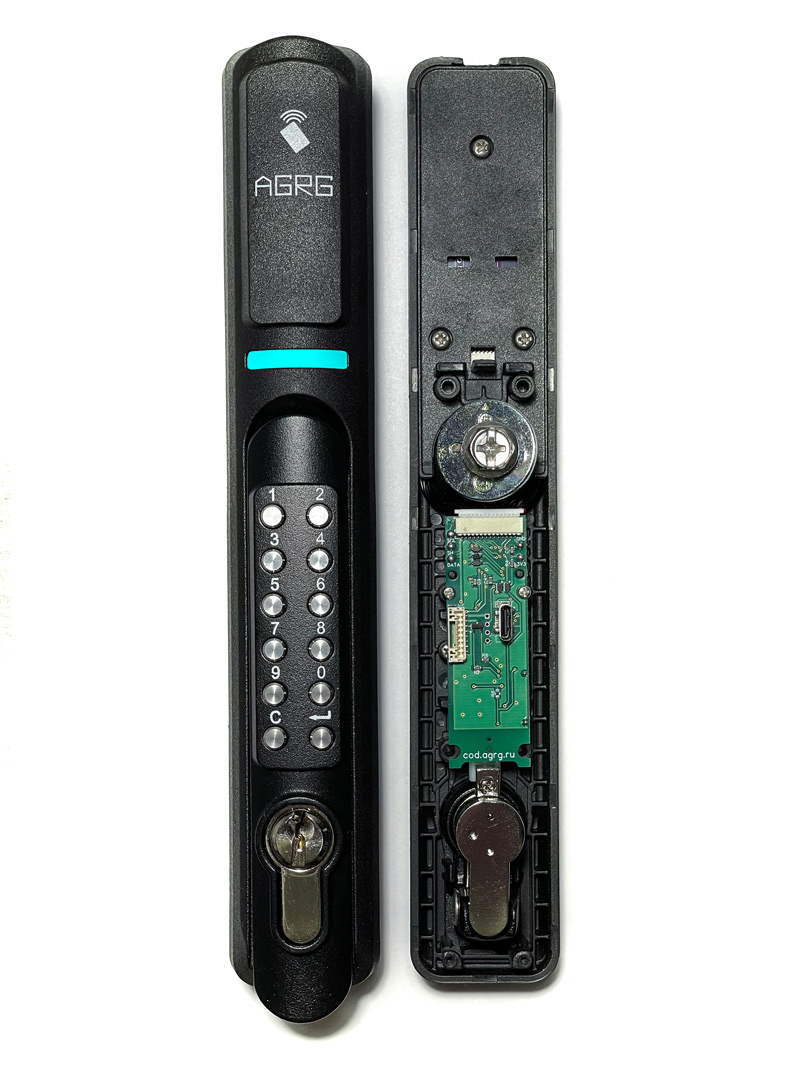
Practical nuance: a 19-inch rack is the standard for server placement, but not a universal standard for the electronic handle's mounting seat. For the cost estimate you need the enclosure make and model, a photo and the size of the mounting cutout, the bolt fastening method, the number of locking points, and the intended emergency mechanism.
Migration from an existing access control system via AGRG ACM2
If the data center is already equipped with SH-I handles or other compatible Wiegand readers, the transition to Seenaptec can be carried out in stages. AGRG ACM2 accepts Wiegand interfaces and connects to the Seenaptec OSDP line: existing access points are preserved, while permissions, objects, events, and integrations are migrated to the new software platform. SH-O/SSB can be used right away in new rows. This makes it possible to avoid a full one-time replacement of handles, reduce the amount of hardware, and simplify further expansion without traditional controllers at every point. For migration projects, an individual price quote with a discount can be prepared; the discount amount is determined during the calculation and is not guaranteed by the calculator.
Access Control System Redundancy for Data Centers: What Happens If the Server Fails
The absence of a dedicated hardware controller in each rack does not mean a single point of failure. Seenaptec provides several independent levels of resilience: hot redundancy of the software logic, alternative OSDP channels, emergency cards in supported handles, and the ability to restore the software on a compatible computing platform.
Backup single-board controller — a working feature, not a design concept
The backup node maintains a constant connection to the server, periodically synchronizes permissions and configuration, and automatically detects the loss of the primary node. Switching to backup mode occurs without manually loading the user list. Simultaneous control of the same peripheral from two sides is ruled out; after the connection is restored, synchronization and switchback are performed.
Up to three emergency cards directly in the handle
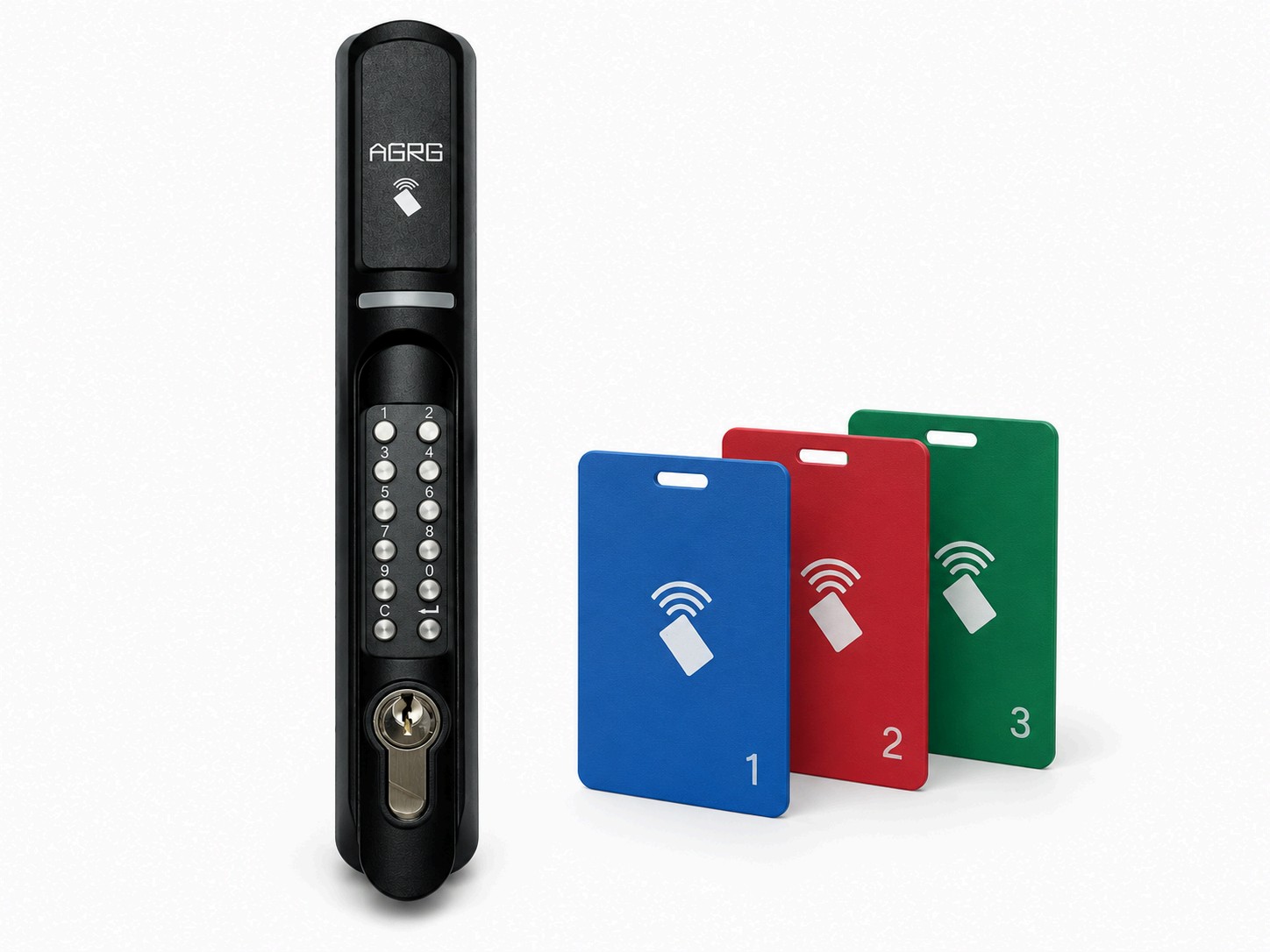
Supported AGRG devices, with the appropriate firmware and configuration, provide local emergency access using pre-provisioned credentials without server involvement. The manual describes up to three such credentials per access point. This is the last resort for obtaining authorized emergency access, not a replacement for normal operation for all employees. After the connection is restored, the corresponding local events are transferred to the log, if the scenario and device support accumulation and transfer.
Backup communication and software portability
A computing platform failure and a cable line break are different events: that is why server redundancy does not replace OSDP and power supply redundancy. The advantage of a software controller is that after a standard computer fails, it can be restored on other compatible hardware from a prepared configuration. Data center customers already know how to operate servers, backup power, monitoring, and backups; Seenaptec uses infrastructure familiar to them.
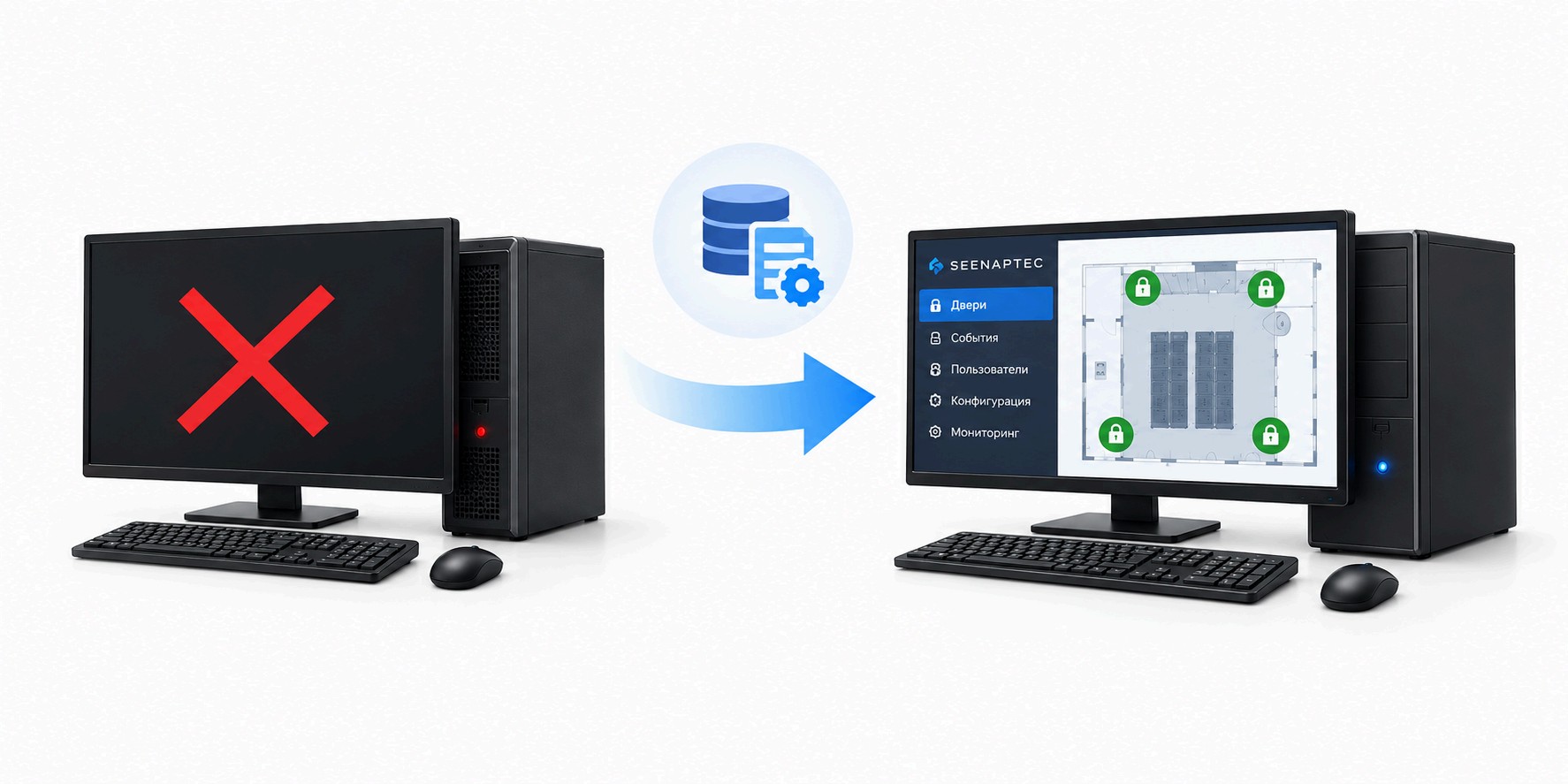
Important: the mass production of computers helps with the availability of spare equipment, but by itself does not prove that any PC has a lower probability of failure than any specialized controller. Reliability is determined by the entire configuration and proven switching scenarios.
Failure / situation | What is provided |
Primary server lost | The backup, permanently connected controller continues to serve available lines |
Primary server returned | Synchronization and return of control |
Connection to both computing nodes lost | Up to three emergency credentials in a supported handle |
Break in a designated redundant OSDP segment | The available backup route is used within the project boundaries |
No power to the handle itself | A project-level emergency access method is required: a card does not work without power |
Computer failed | Deployment of the software on a compatible platform from prepared backup data |
MIFARE Plus SL3 card issuance directly in Seenaptec
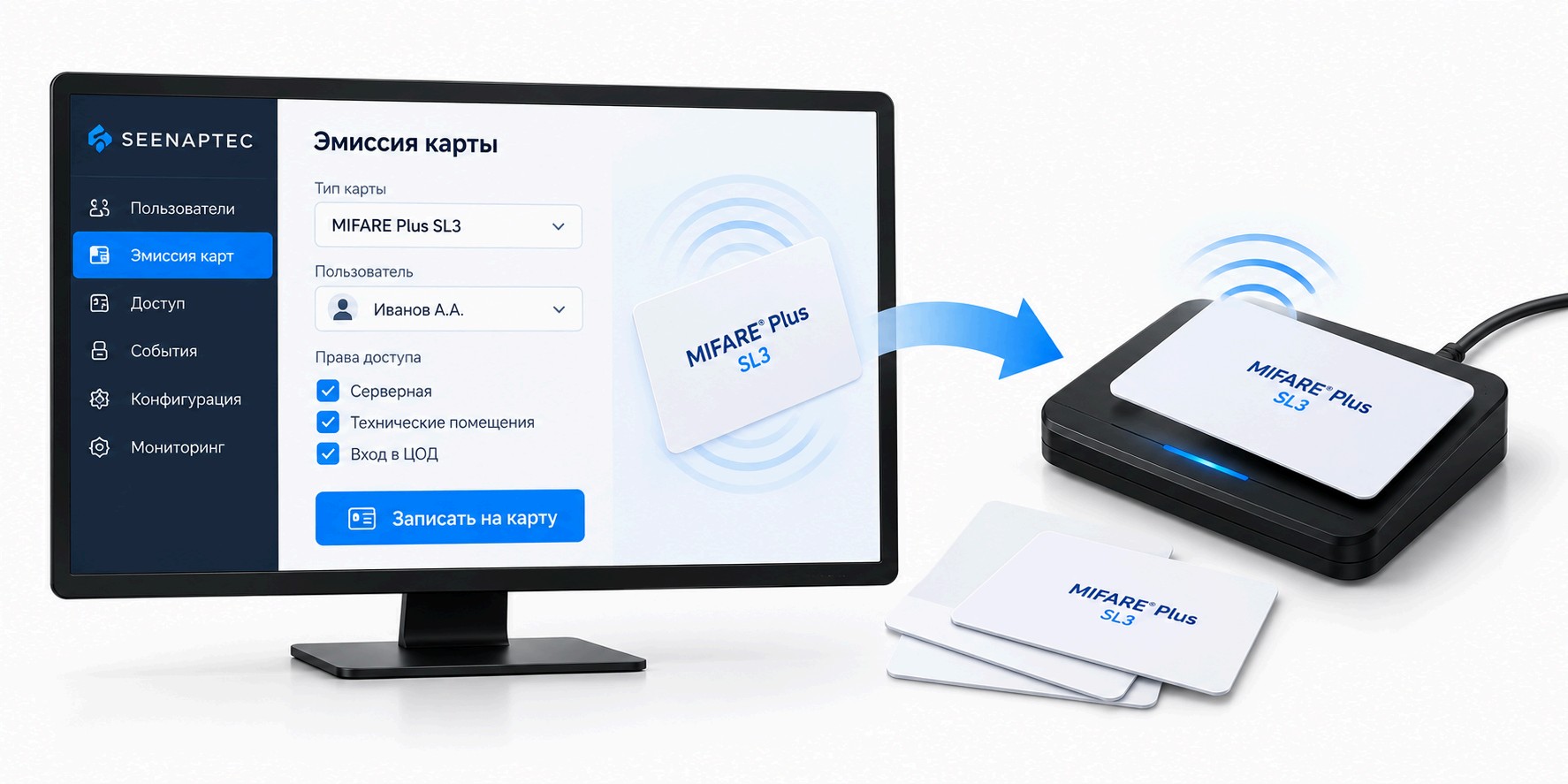
Seenaptec supports centralized creation of card profiles and management of cryptographic keys, as well as initialization and personalization of compatible MIFARE Plus cards, including switching them to the secure SL3 mode (AES). Credential issuance, access badge assignment, and key material administration are performed within a single Seenaptec workflow — with no need for a separate standalone issuance system. These operations require a compatible reader, a correct profile, and the card's administrative keys. Switching to SL3 is irreversible and removes compatibility with MIFARE Classic, so migration of existing credentials must be planned in advance. SL3 support on the card does not eliminate the requirements for secure communication with the reader and OSDP Secure Channel configuration.
Integration of the access control system with the data center fire alarm
Seenaptec features integration with the fire alarm system. This makes it possible to coordinate the events and control scenarios of the two engineering subsystems within a project. However, a machine room, a cabinet, an emergency exit door, and a gas fire suppression room are different objects with different requirements.
Event | Project scenario |
Fire alarm in the machine room | Notification and coordinated actions according to the facility's rules |
Fire suppression activation | Prescribed regulations, interlocks, and independent safety circuits are taken into account |
Loss of communication with the access control server | Mandatory evacuation functions are not made dependent on the web server |
Alarm reset | Controlled return to normal operation and event logging |
It cannot be automatically assumed that a fire alarm opens all cabinets. The exact interface with the fire alarm panel, the list of signals, and the algorithms are defined in the project appendix and the acceptance test protocol of the specific facility.
Data Center Integration via REST API and OpenAPI
Seenaptec provides a REST API for equipment, access objects, credentials, logs, and security; the methods are documented in OpenAPI and available for exploration via Swagger UI. Through the API, physical access processes can be linked to request and maintenance systems, equipment and cabinet registries, the service desk, corporate directories, and monitoring and logging systems. For example, an external system can initiate an approved process granting a contractor access to a specific cabinet, while ACS events and states are used to verify the actual completion of the work. The set of operations is defined by the published specification and the permissions of the integration account; connection security and access segregation are configured according to the customer's information security policy.
How to control contractor access to a specific server cabinet
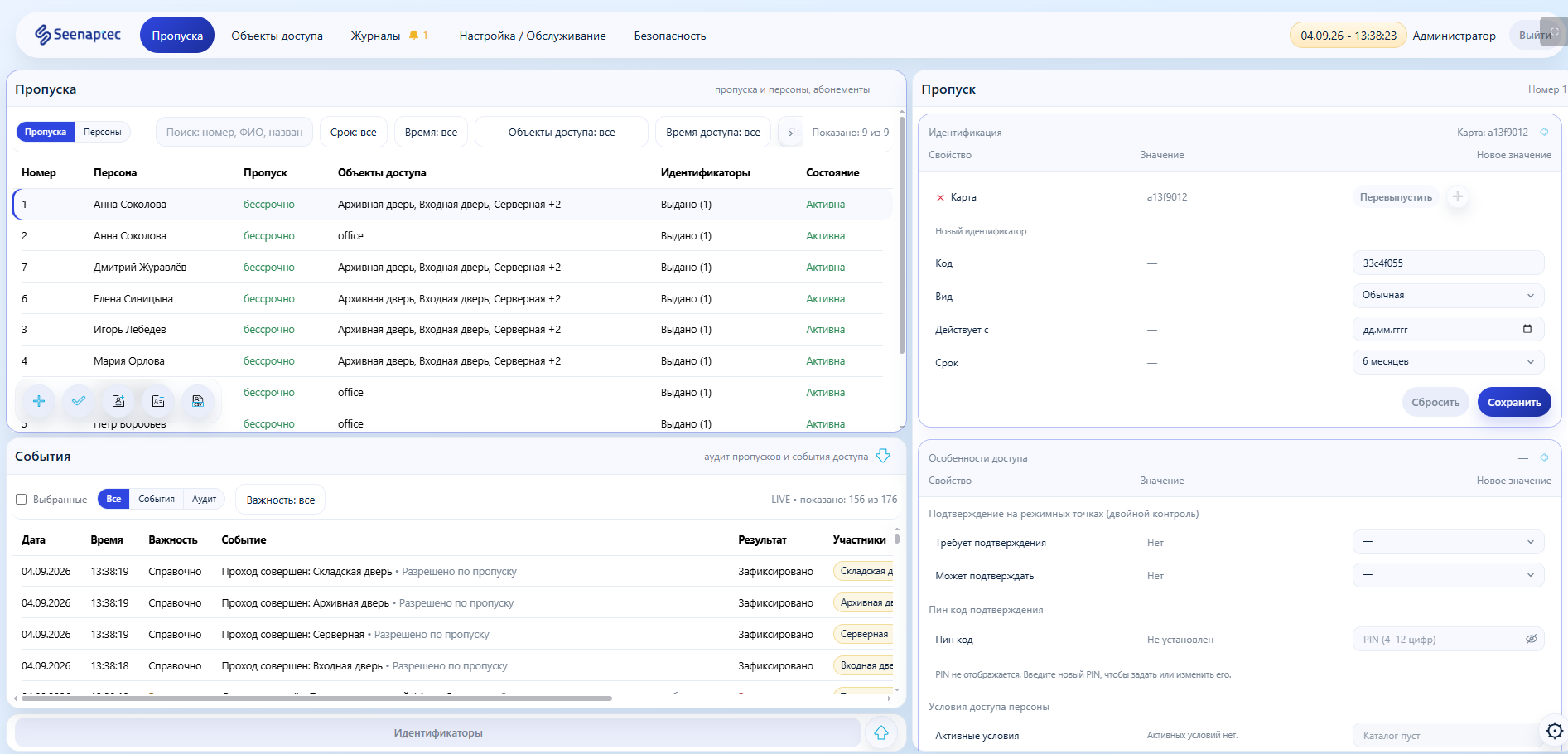
An example, not a real log: a contractor is issued a pass for cabinet No. 37 for the work period 10:00–11:00. He enters the machine room and presents an authorized card at the required cabinet. Seenaptec checks the object, validity period, schedule, and escort requirements; it stores the decision and the state confirmations. An attempt to open cabinet No. 38 without authorization is denied and logged. After the work is done, the system receives a cabinet-close signal and ends the session; if the session drags on, the object is placed on the watch list.
What the security team gets: not just a record of a card presentation, but interlinked data on the pass, the object, the decision outcome, equipment states, and operator actions. The history of settings changes is kept separate from the regular access log. The integrity of the log is guaranteed by a built-in blockchain.
Seenaptec vs. Traditional Access Control Systems for Data Centers
Criterion | Seenaptec + OSDP/SSB | Other ACS with group controllers | Cabinet-controller ACS |
Where the decision is made | Primary server and backup software node | Hardware controllers per configuration | Dedicated cabinet units |
Space and cabling | No dedicated 1U controller per cabinet; compact IP/RS-485 nodes | Planning of installation locations, cable routing and controller power | With the 1U-unit option, rack space is required |
Peripherals and migration | SH-O/SH-CO; legacy SH-I/Wiegand — via ACM2 | Peripheral compatibility is determined by the system | Cabinet handles and controllers of the chosen product line |
Security and commissioning | OSDP Secure Channel, SSB auto-addressing and diagnostics | Depends on the equipment, interface and implementation | Depends on the interface; the Wiegand segment has no encryption |
Cabinet model | Cabinet as an object/space, work sessions, events, states | Whether an object model beyond doors is available needs to be confirmed | Determined by the capabilities of the solution |
Redundancy | Software backup and local emergency cards are implemented | not available | not available |
Expansion and budget | New objects without dedicated traditional controllers per cabinet; calculation by line | Capacity and the need for new controllers must be checked | Capacity and the need for new controllers must be checked |
For an idea of mounting density: if the chosen traditional scheme requires a separate 1U-high unit for each cabinet, 50 cabinets occupy 50U in total. This is not a universal property of all ACS: group controllers can be placed outside the cabinets. With Seenaptec, no dedicated 1U unit is needed in each server cabinet. When the system is expanded, additional cabinets are connected to the designed OSDP infrastructure without purchasing new traditional controllers for each cabinet; line capacity and power are verified against the design.
What makes up the cost of an ACS for a data center
The cost of an access control system in a data center depends not only on the number of server cabinets and electronic locks, but also on the architecture of the ACS itself.
In traditional systems, a significant part of the budget goes to hardware controllers, their placement, cabling, and the connection of each controlled door. As the number of cabinets grows, equipment costs increase and the infrastructure becomes more complex.
Seenaptec takes a different approach. Instead of traditional hardware controllers, it uses a software platform, and AGRG electronic handles connect via the secure OSDP protocol. A single server cabinet, regardless of the number of controlled doors, is treated as one access object. This reduces equipment costs, simplifies scaling, and at the same time provides extended access management capabilities.
In addition, Seenaptec supports a backup software controller, communication line redundancy, OSDP Secure Channel encryption, automatic SSB device addressing, management of secure MIFARE Plus SL3 cards, and integrations via REST API.
How to Implement an Access Control System for a Server Room and Data Center Without Mistakes
Inventory of cabinets and doors: mechanics, geometry, locks, bolts, sensors.
Zone and role map: security service, IT, contractors, escorts.
Design of OSDP lines, IP–RS-485 connectivity, backup power, and control nodes.
Pilot on several cabinets of both door types; verification of cards and alarms.
Testing of failover to the backup controller and emergency cards.
Testing of fire integration according to the agreed program.
Mass installation, group configuration, staff training, documentation.
Frequently Asked Questions About Access Control Systems for Data Centers
Can a cabinet be opened if the Seenaptec server is unavailable?
Yes. Normal operation is maintained by a continuously synchronized backup software controller; if the software nodes are unavailable, up to three local emergency cards are provided for supported and configured handles.
How many controllers are needed for 50 cabinets?
The Seenaptec architecture does not require a traditional controller inside every rack. The number of server/backup nodes, IP–RS-485 and OSDP lines is assigned per project; it cannot be derived automatically from the number of rows.
Can existing employee cards be kept?
It depends on the card format and the protected-area settings. SH-O supports several identifier families, but compatibility and security are verified against the existing card fleet.
Do all cabinets need to be replaced to install electronic handles?
Not necessarily. A mechanical inspection of the mounting seats and selection of bolts/adapters is required; some cabinets may need modification.
Will all server racks open automatically in case of fire?
There is no universal rule. Fire-automation and access-control algorithms are agreed upon for each door type and zone. Evacuation functions must comply with the project and current requirements.
How does Seenaptec differ from traditional access control systems?
An object model of spaces and server cabinets; software-based management with redundancy; no need to install a traditional controller in every rack; secure addressable OSDP peripherals and automated SSB commissioning; device diagnostics; a REST API; secure card management. The AGRG ACM2 is provided for migrating previously installed Wiegand peripherals.
Request an access control design and estimate for your data center
Send us the number of cabinets, the number of controlled doors, rack models, and redundancy requirements. We will prepare a preliminary specification, a wiring diagram, and a license breakdown.